


Description
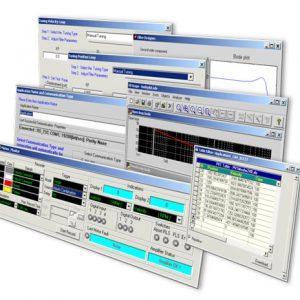
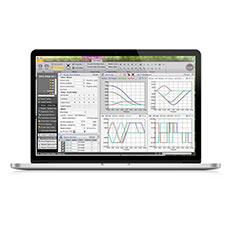
Elmo’s Application Studio III is the 3rd generation advanced wizard-based tuning tool providing a flexible, smart, advanced user-friendly tools, and easy motion-programming environment. It offers intuitive interfaces built to simplify complex advanced motion programming – EAS III contains many innovative capabilities.
Elmo Application Studio
The Ultimate Tool that “Walks You Through” the Entire Motion Implementation
Introduction
EASII’s brief – the perfect motion control software
Exercises
Getting up-to-speed quickly with the EASII
Tutorials
Self-paced tutorials adapted to your needs
EAS III configures programs, maintains, and analyzes every feature and capability in Elmo’s servo drives and Maestro motion controllers. Elmo’s hardware and software integration demands software usability to give motion designers the ability to translate specific motion control needs quickly and simply. New Features interface design walks through features, capabilities, configurations, motion programming, system integration, and monitoring tasks
- Use software tools that enable motion control innovation in every application and market segment.
- Benefit from Elmo’s Maestro controllers and servo drive ECAM configuration, with simplified external reference input processing, Bode & Nichols tuning graphical analysis
- Experience Elmo’s user unit support, error mapping and correction, drive feedback emulation
- Manage (upload/download) of numerous servo drives configurations
- Leverage automated recording live scope
- Access a comprehensive inline help system and gauge displays
- Easy-to-use, Windows®-based 64-bit multi-language operating system support
- Customizable, System workspace-oriented interface formation
- Seamless support for the entire Titanium Family
- Engineering-grade Python development environment featuring real-time debugging and thread analysis
- EtherCAT network configuration and diagnostic tools
- Functional Safety configuration and setup tool for Elmo drives
- Drive level user programming development environment
- Smart auto-tuning – simple setup with advanced performance optimization
- Calibration support for wide range of sensor types
- Flexible sensor setup in Dual Loop configurations
- Advanced system identification and controller design methods
- MIMO-based gantry and planar controllers automatic tuning
- Single axis and multi-axis motion control testing tools
- High-performance data recording and high-resolution FFT analysis
- Optimize servo performance using advanced filters
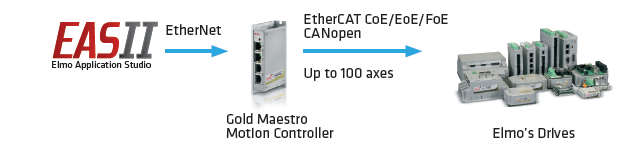
Connection to Drive via Elmo’s Network Motion Controller
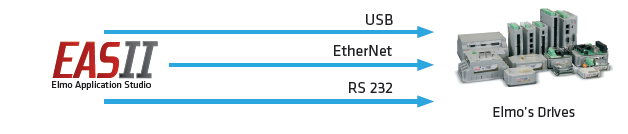
Peer-to-Peer Connection to Elmo’s Drives
- Highlights
-
- Easy-to-use, Windows®-based 64-bit multi-language operating system support
- Customizable, System workspace-oriented interface formation
- Seamless support for the entire Titanium Family
- Engineering-grade Python development environment featuring real-time debugging and thread analysis
- EtherCAT network configuration and diagnostic tools
- Functional Safety configuration and setup tool for Elmo drives
- Drive level user programming development environment
- Smart auto-tuning – simple setup with advanced performance optimization
- Calibration support for wide range of sensor types
- Flexible sensor setup in Dual Loop configurations
- Advanced system identification and controller design methods
- MIMO-based gantry and planar controllers automatic tuning
- Single axis and multi-axis motion control testing tools
- High-performance data recording and high-resolution FFT analysis
- Optimize servo performance using advanced filters
- Drive Communication Method
-
Connection to Drive via Elmo’s Network Motion Controller

Peer-to-Peer Connection to Elmo’s Drives